
RenameFlow
What’s included
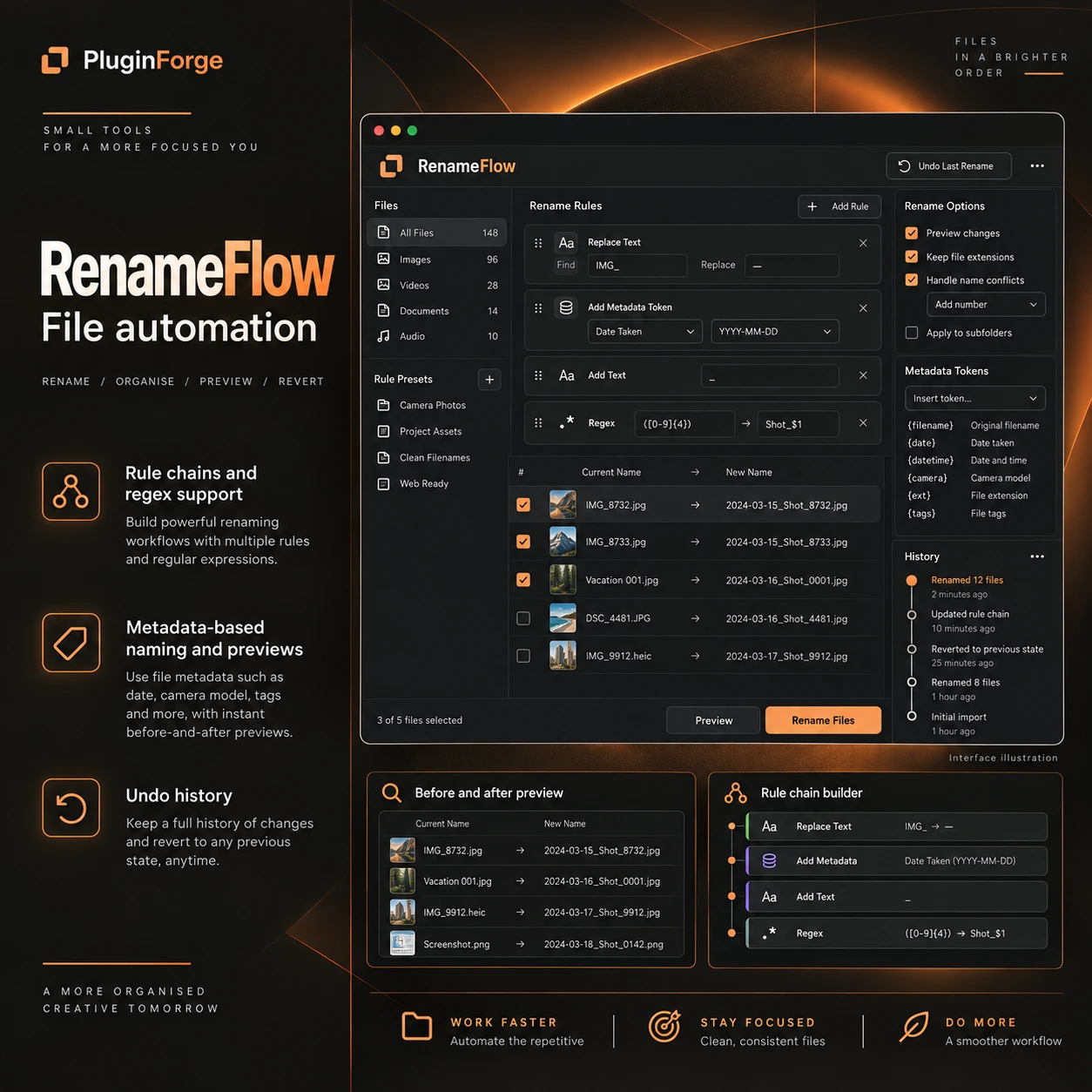
- Rule chains and regex support
- Metadata-based naming and previews
- Undo history
Bring consistency to groups of file names with rule chains, regular expressions and metadata-based naming. Preview the results before applying a batch, with undo history available when you need to review or reverse a change.
After your purchase is confirmed, our team will contact you to coordinate delivery.
A CLOSER LOOK
Turn inconsistent names into a clear system.
Naming is easier to manage when the same logic runs through a whole set of files. This bulk-renaming application brings several naming tools into one workflow, so you can define a pattern, inspect the proposed result and work through a batch with a clearer view of the changes.
Rule chains and regular expressions
Combine naming rules into a sequence. Regular expressions let you describe text patterns, making them useful when a collection needs more specific naming logic.
Names informed by metadata
Use metadata values as part of your naming approach. This helps connect a file name to the information associated with the file itself.
Preview and undo history
Inspect proposed names before applying the batch. The included undo history gives you a way to review and reverse changes when your naming approach needs adjustment.
A practical way to use it.
- Choose a naming pattern. Define the structure you want the file names to follow.
- Build and preview. Combine rules, text patterns or metadata values, then inspect the proposed names.
- Apply and review. Run the batch and consult undo history if a change needs to be reversed.
Check the fit before you choose.
For compatibility, licensing or delivery questions, tell our team about your setup and intended use.